
Creative eLearning with Articulate Storyline 360
Instagram-Style Modules that Scroll, Swipe, and Stick.
In today’s digital world, learners expect training to feel as engaging as the apps they use every day. With Articulate Storyline 360, it’s possible to design SCORM-compliant eModules that don’t just deliver knowledge but actually keep learners hooked.
One creative approach is to design social media-inspired eLearning, where the learning experience feels like scrolling through Instagram. This guide shows you how to use Storyline 360 to build interactive eLearning modules that learners will love.
Why Choose Storyline 360 for Interactive eLearning
- Build SCORM-compliant modules for seamless LMS integration.
- Create multilingual eLearning content for diverse learner groups.
- Design interactive, mobile-friendly eModules with advanced triggers and variables.
- Transform static slides into an engaging digital experience.
Designing SCORM-Compliant eModules That Feel Like Social Media
Step 1: Replace the “Start” Button with a Social Media Login
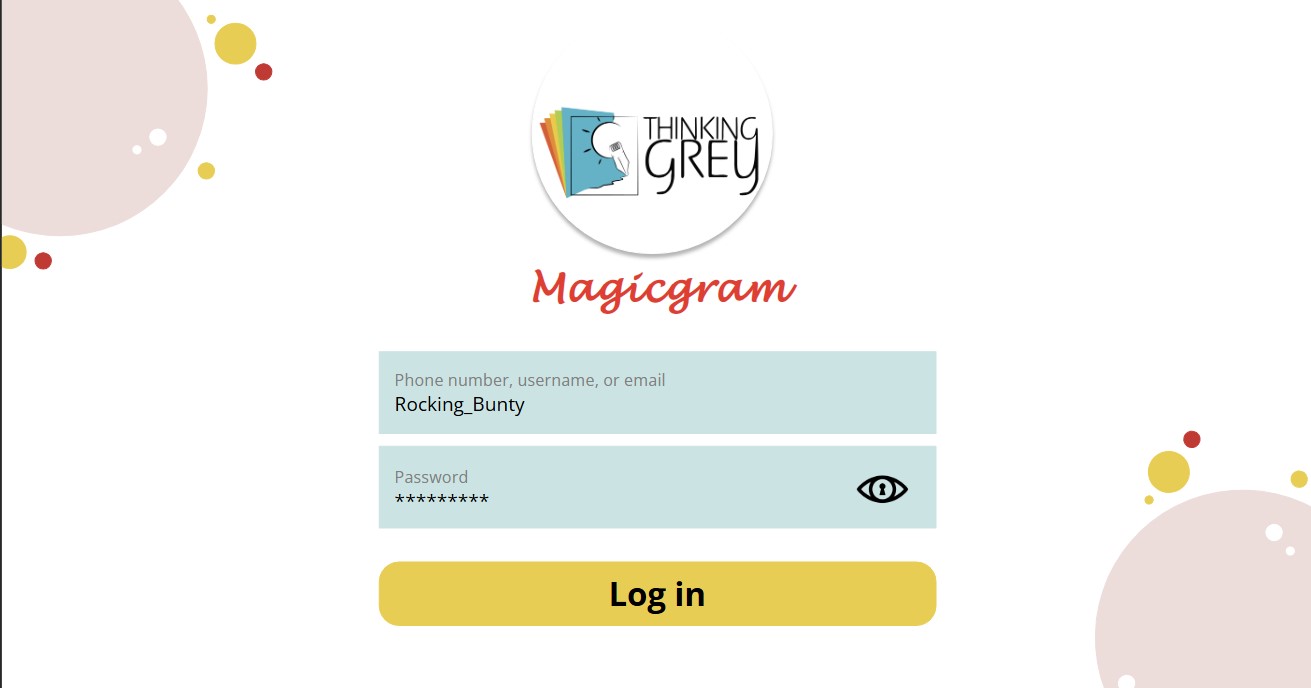
A typical course begins with a plain “Start” button. Why not swap it out for a login-style entry screen? Using Storyline’s triggers and variables, you can design a mock login page that feels personal and interactive right from the start.
Step 2: Create a Profile Page for Navigation
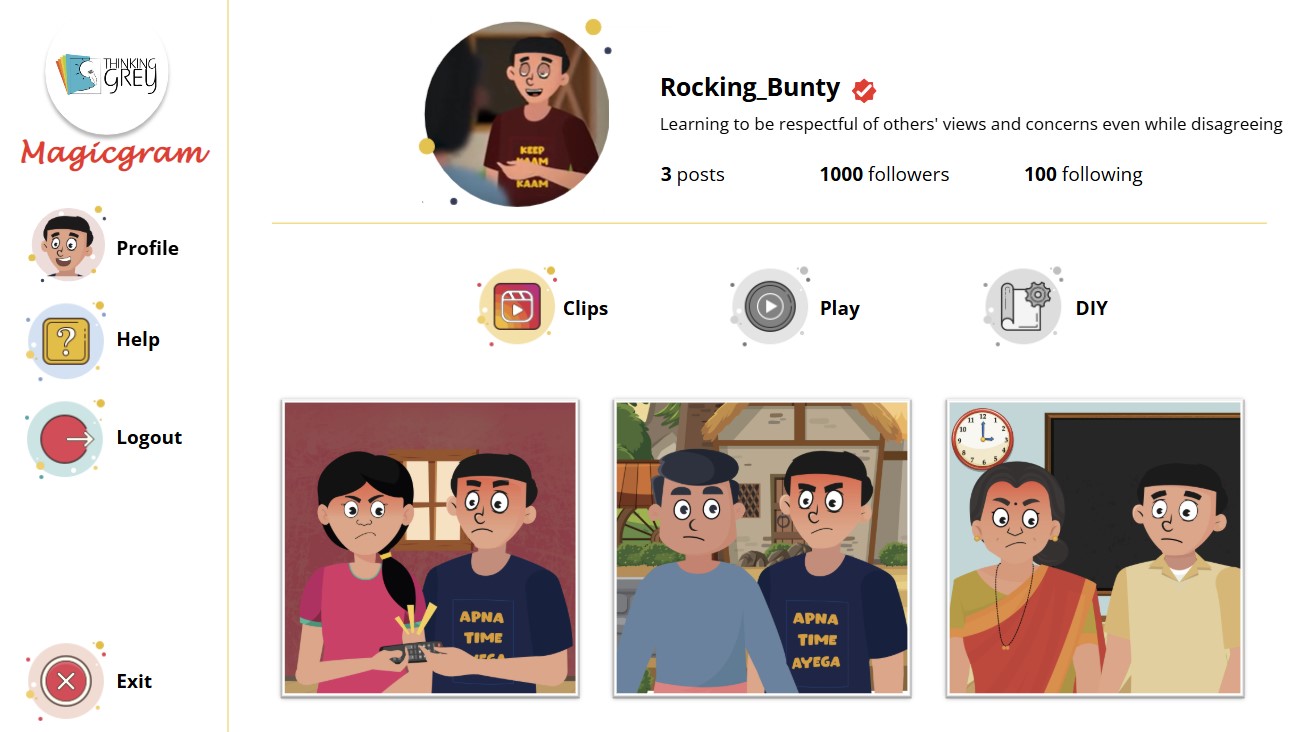
Instead of a standard menu, design a profile page that looks like a social feed — quirky username, profile picture, and topic navigation styled like posts.
Step 3: Use Instagram Reels for Microlearning
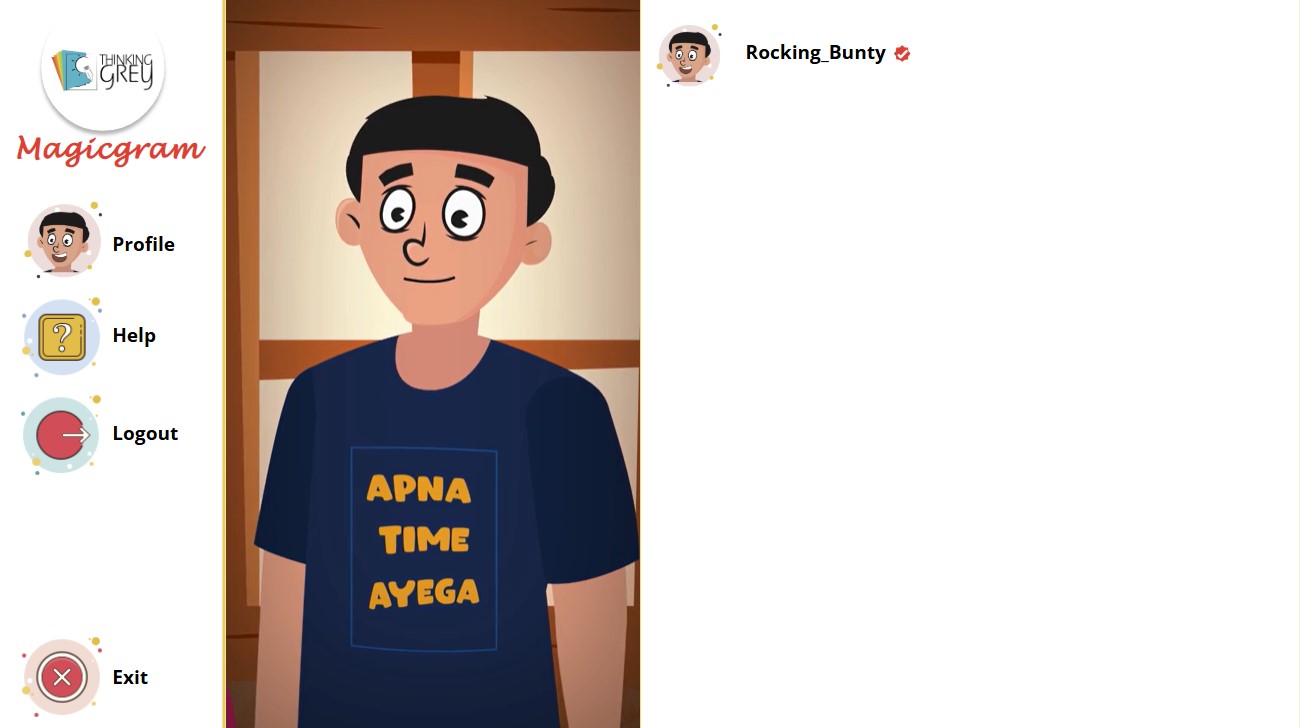
Attention span is short. Replace long slides with Instagram-style reels. Embed short videos or animations that explain one concept at a time — perfect for microlearning and mobile-friendly design.
Step 4: Turn Assessments into Comments, Likes, and Shares
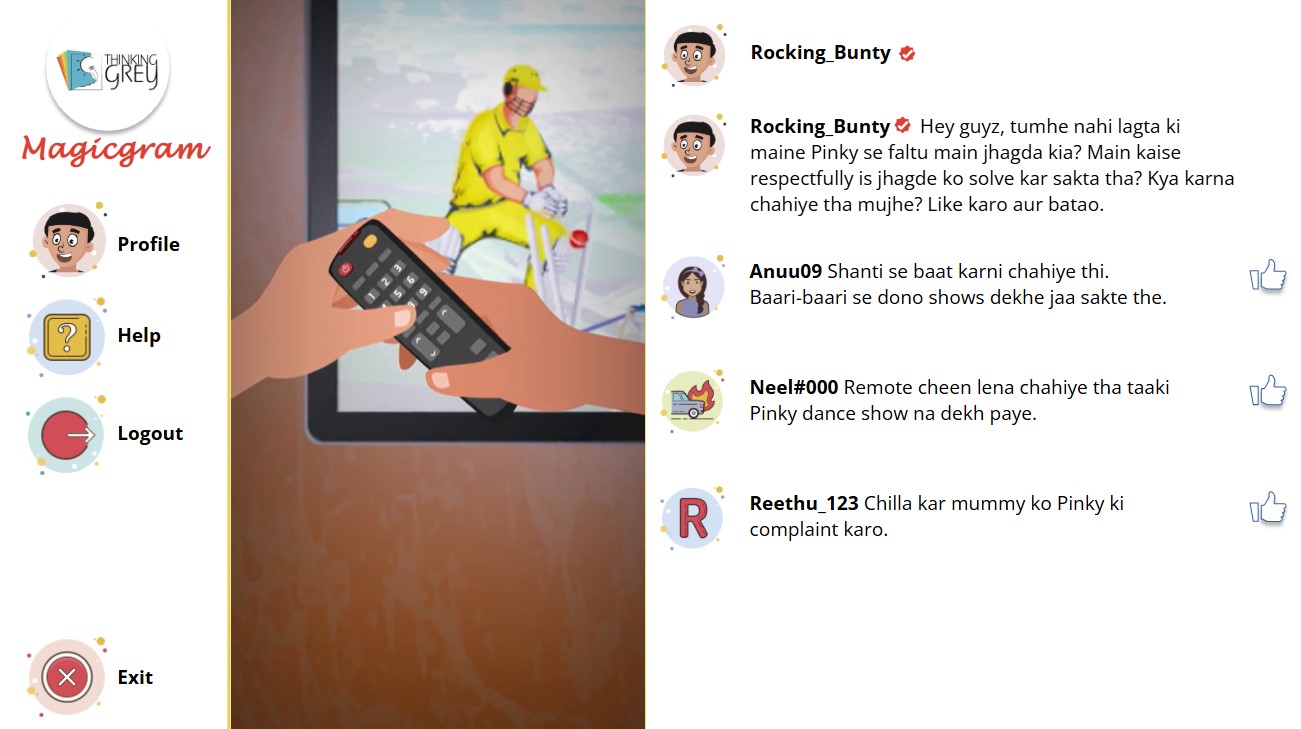
Instead of boring multiple-choice, transform assessments into social interactions: comment threads, like/dislike options, and instant feedback styled as a feed.
Step 5: Localize Content with Multilingual Modules
Learning is most effective when it speaks the learner’s language. Storyline 360 allows easy duplication and translation, from English to regional languages, even Hinglish.
Step 6: Publish SCORM-Compliant Modules
Finally, publish as SCORM to integrate seamlessly with any LMS, ensuring tracking of progress and completion.
Benefits of Using Storyline 360
Boost learner engagement and motivation.
Deliver familiar, interactive learning experiences.
Make assessments playful and less intimidating.
Scale with multilingual and SCORM-compliant modules.
Ensure mobile-friendly design for on-the-go learners.
Final Thought
Articulate Storyline 360 isn’t just a tool — it’s a creative playground. By reimagining eLearning through familiar apps like Instagram, you can design modules that learners actually enjoy.